













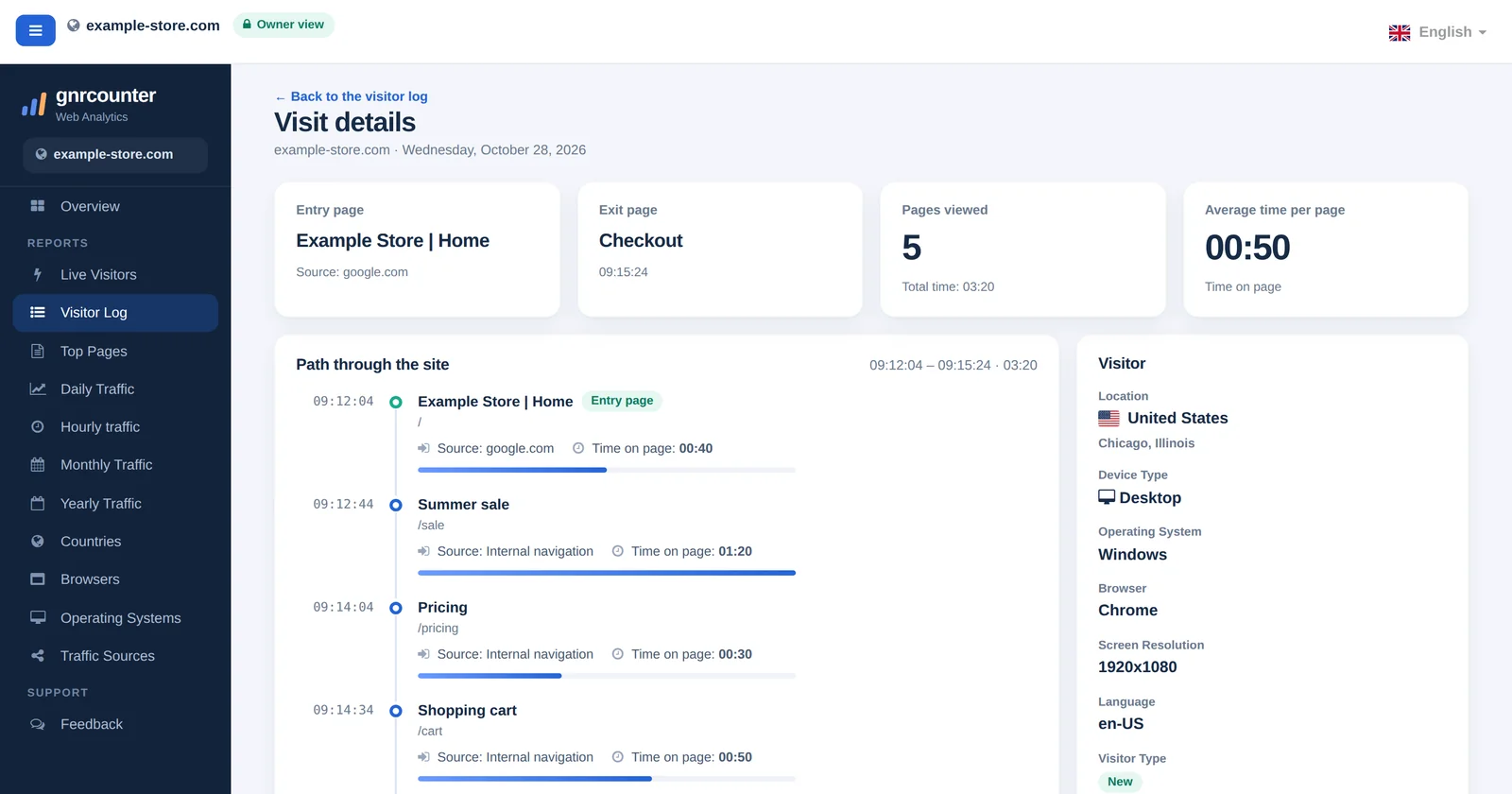
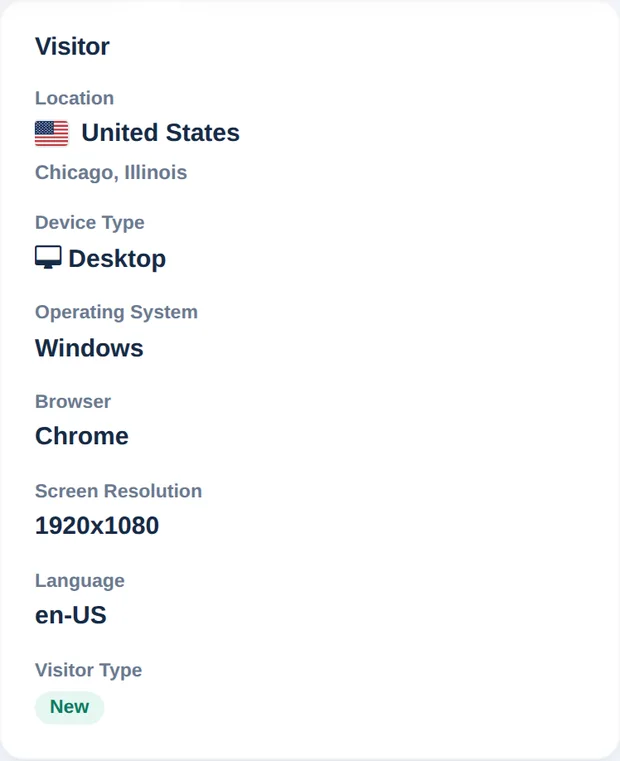
Visit details opens from the Visitor Log and shows what one visitor did on your site: which pages they opened, in which order, how long they stayed on each and where they came from. A side card shows their country, device, system, browser, screen resolution, language and whether they are new.
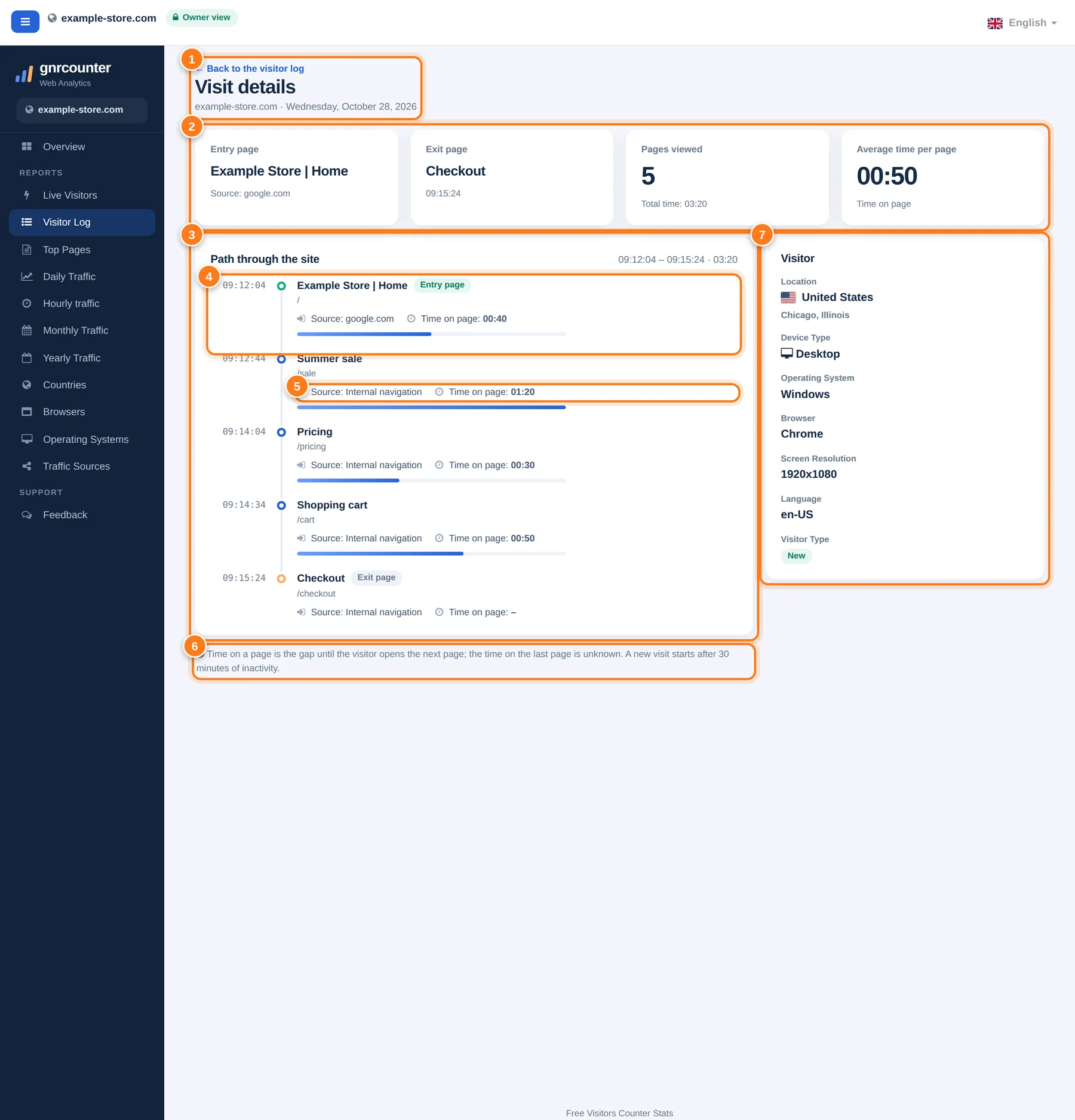
Visit details with its areas numbered. All figures in this guide are sample data from a fictional website.
A tour step by step
The numbers below match the markers in the picture.
- Back link, title and dateReturn to the visitor log, see the page title and the day of the visit.
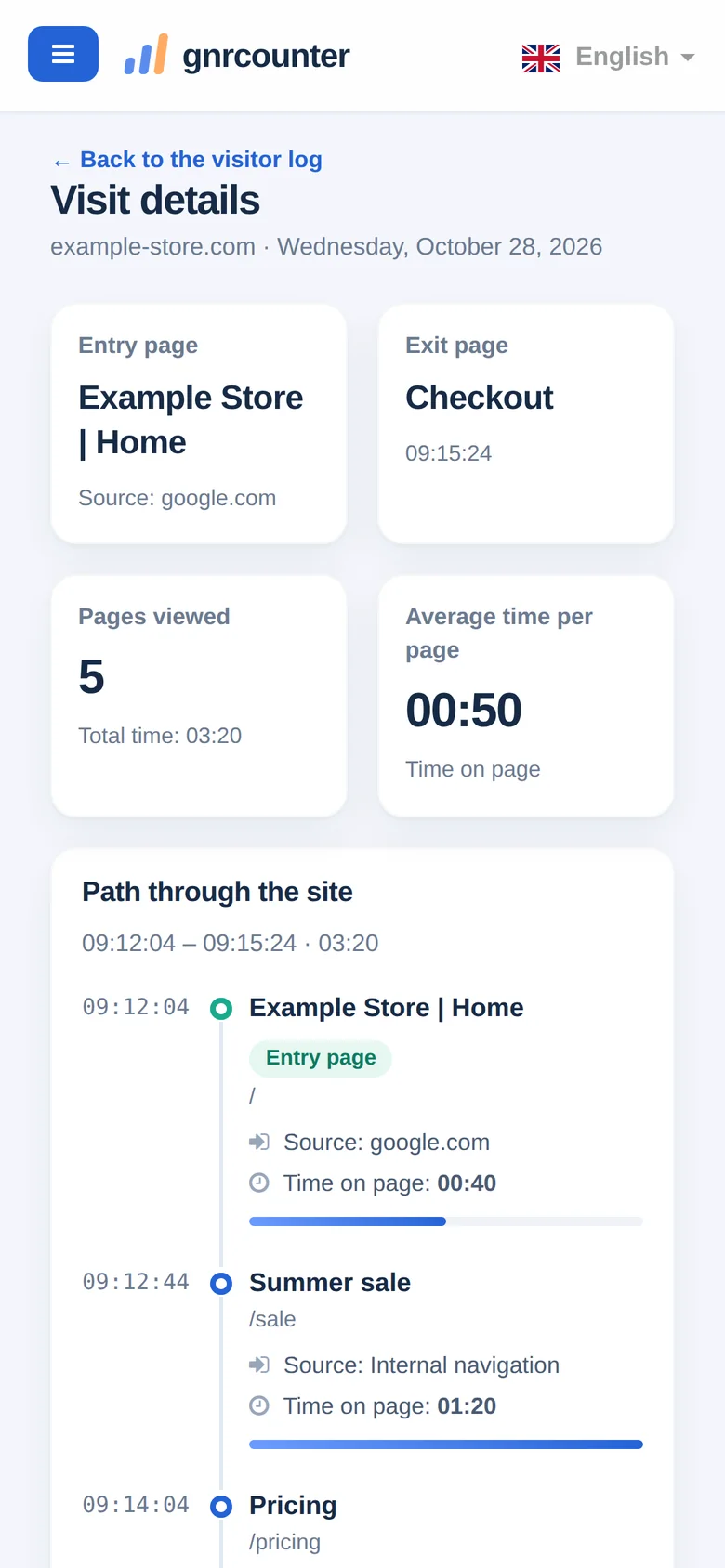
- Four summary cardsThe entry page with its source, the exit page with its time, the number of pages with the total time, and the average time per page.
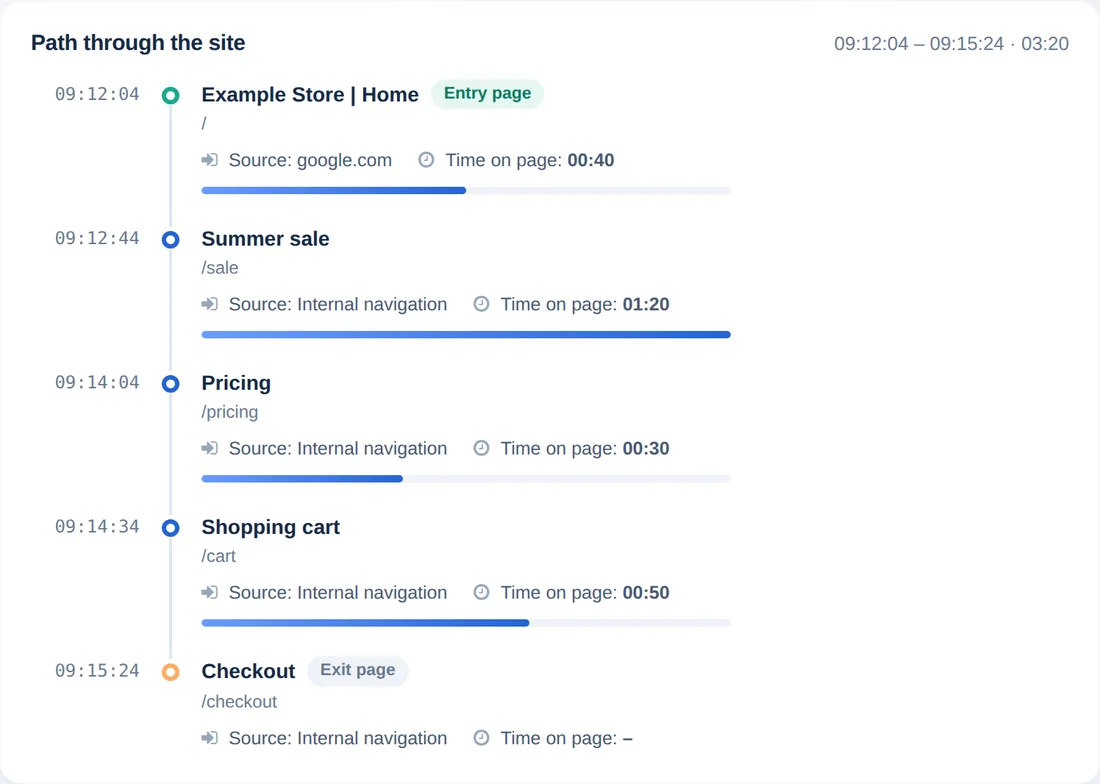
- Path through the siteA timeline with one step per page view. When a visitor made several visits on the same day, each visit gets its own card.
- Entry and exit tagsThe first step is tagged Entry page and the last one Exit page.
- Source and time on pageEach step shows where the visitor came from and how long they stayed, with a bar that compares the steps.
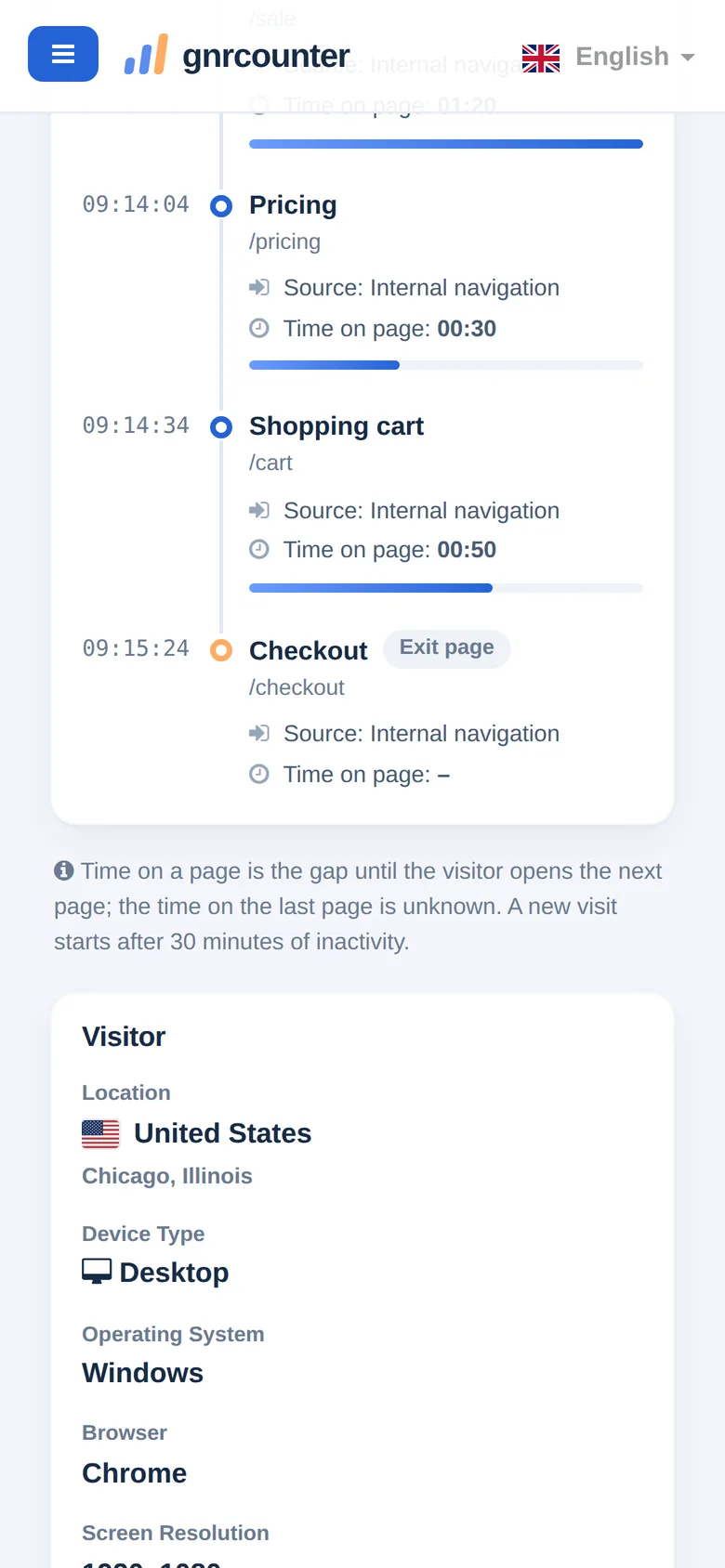
- NoteIt explains how times are measured.
- Visitor informationLocation, device type, operating system, browser, resolution, language and whether the visitor is New or Returning.
Visit details at a glance
Zoom in on the details


Reading the numbers correctly
- Time on a page is the gap until the visitor opens the next page. The time on the last page is unknown, so it shows a dash.
- A new visit starts after 30 minutes of inactivity, so one visitor can have several visits in a day.
- Total time adds up the known times, and the average divides it by the pages with a known time.
- A step can show Internal navigation as its source when the visitor moved from another page of your site.
Ways to use it
- Understand a journey. See which pages lead to a purchase or a contact.
- Find where visitors leave. The exit page shows where a visit ended.
- Check a report. When someone describes a problem, find their visit and follow the steps.
Visit details on your phone
On a small screen the summary cards come first, followed by the path and the visitor information card.
Common questions
Why can I not open an older visit?
Visit details are kept for the last 3 days only.
Why is the time on the last page a dash?
The time on a page is measured until the next page opens, and there is no next page after the exit page.
Does the public view show everything?
No. In the public view IP addresses and referrers are hidden.