













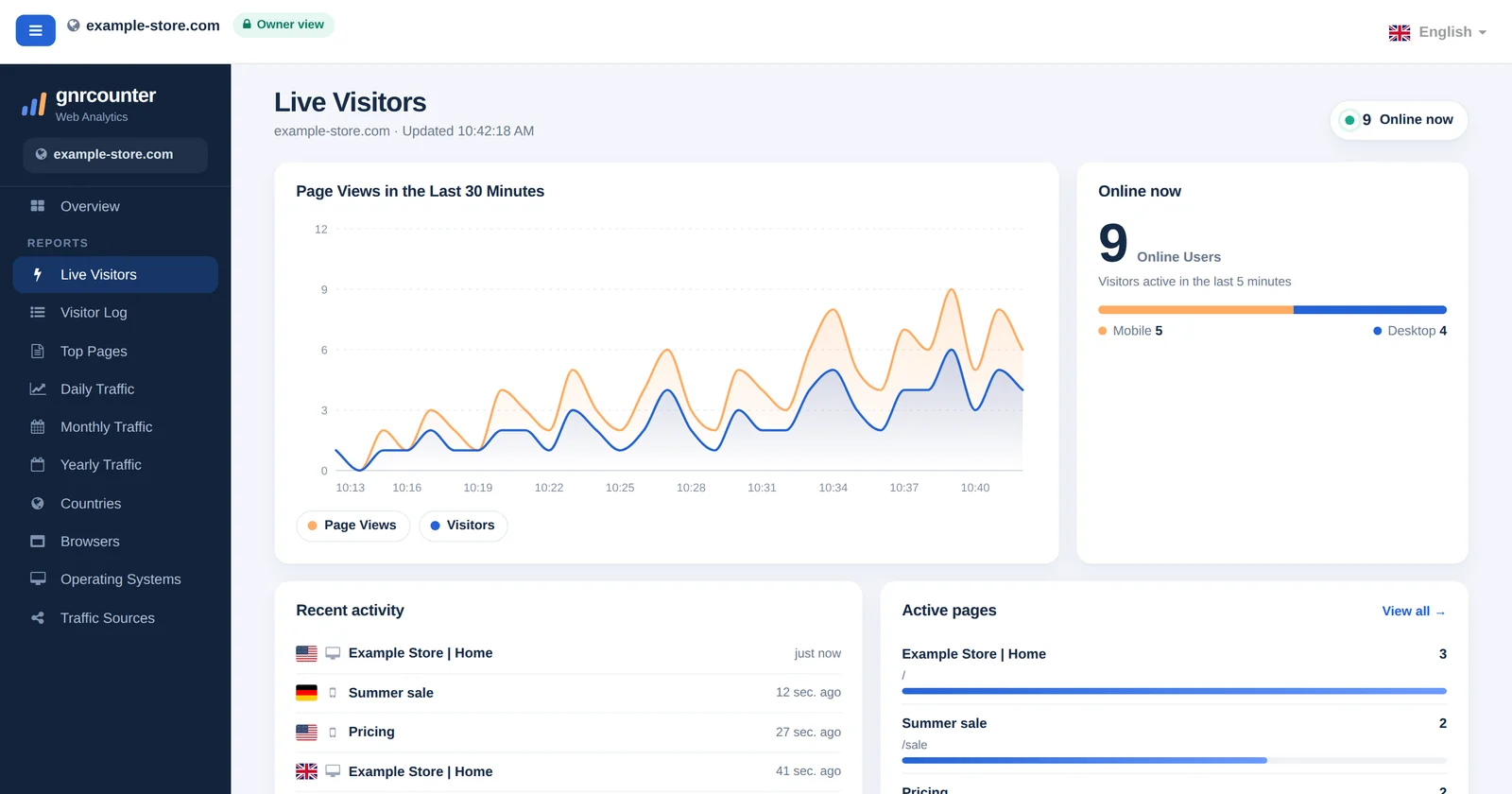
Live Visitors shows what is happening on your website right now. While the Overview gives you the daily picture, this page answers a simpler question: is anyone here, and what are they looking at? It lists how many visitors are active, which pages they opened, where they came from and which devices they use. It refreshes by itself, so you can leave it open while you publish a post, send a newsletter or test a change.
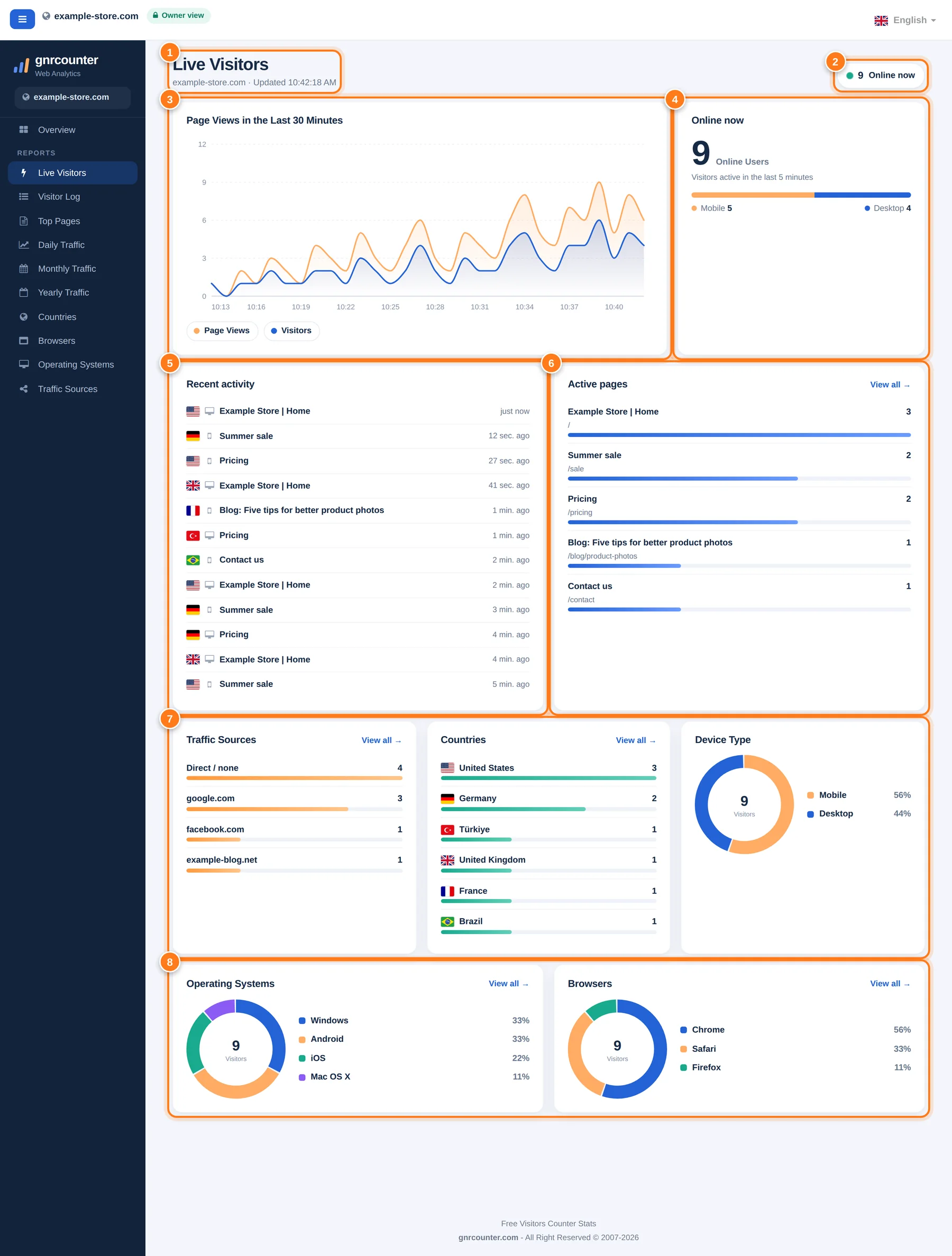
Live Visitors with its eight areas numbered. All figures in this guide are sample data from a fictional website.
A tour in eight steps
The numbers below match the markers in the picture.
- Header and update timeThe page title with your site name and the time of the last refresh. When the time changes, new data has arrived.
- Online now badgeThe same live counter as on the Overview: visitors who were active in the last five minutes. It turns grey when nobody is on the site.
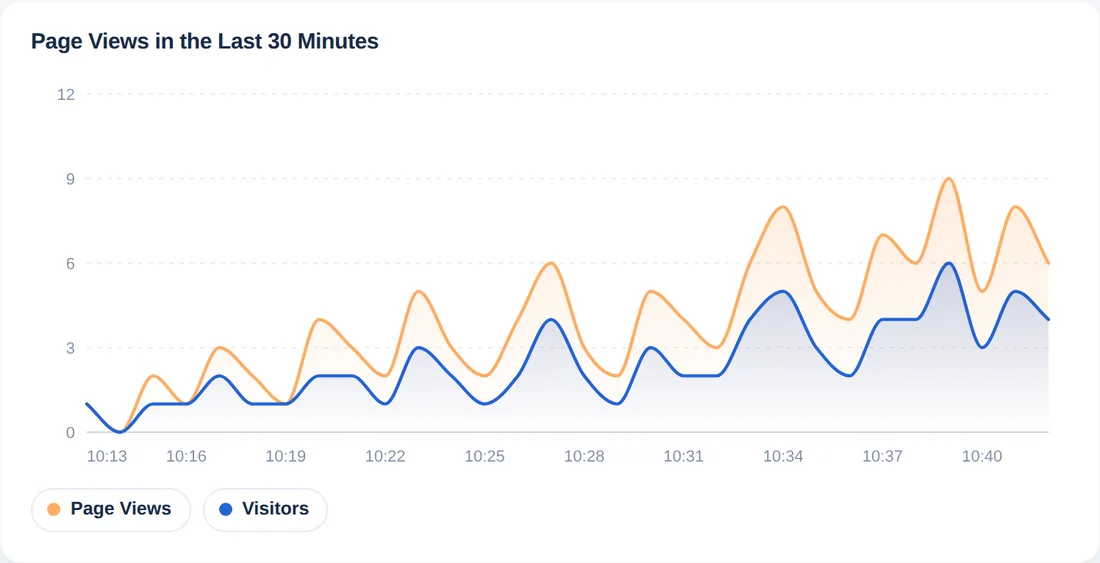
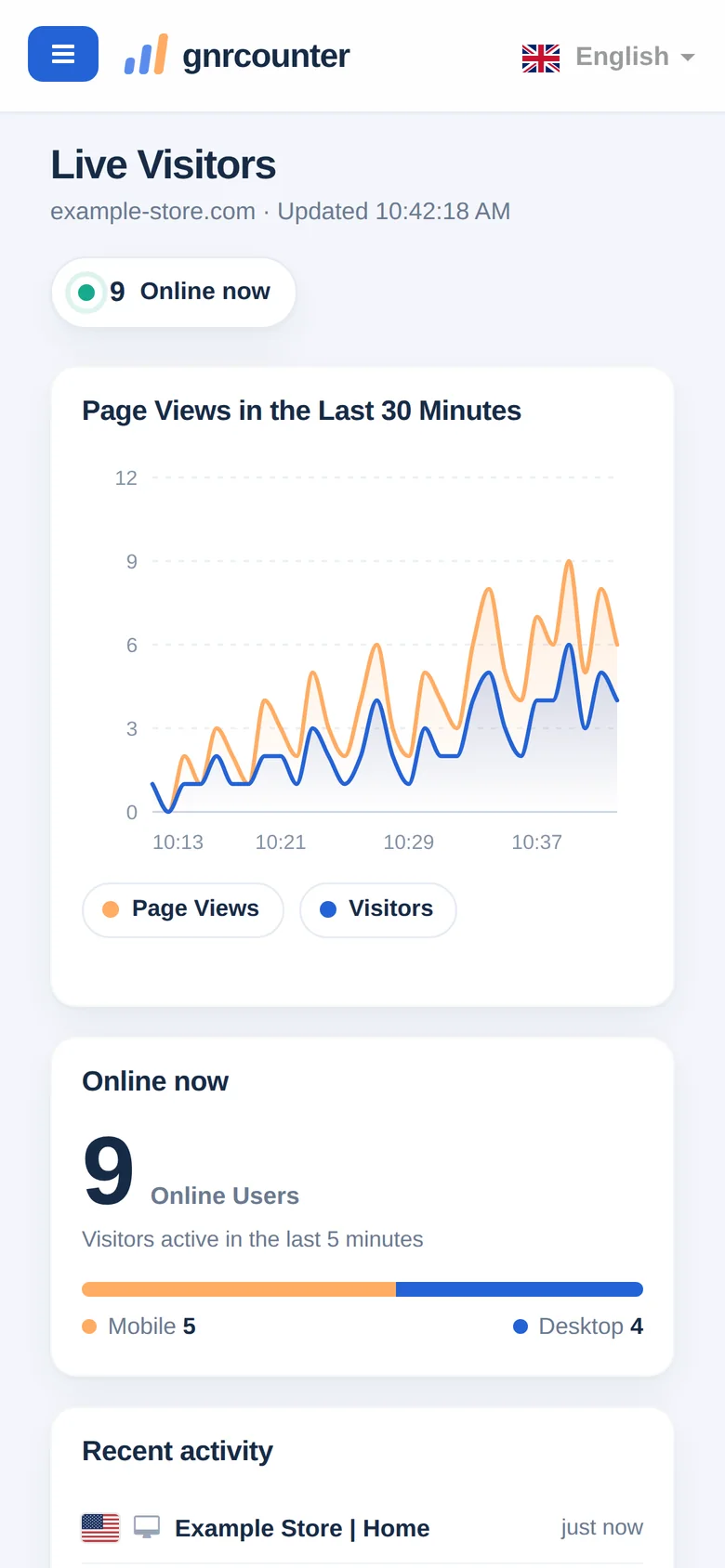
- Page views in the last 30 minutesA minute-by-minute chart of page views and visitors. Hover over a minute for exact values and click a legend item to hide or show a line. Use it to see whether activity is rising or fading.
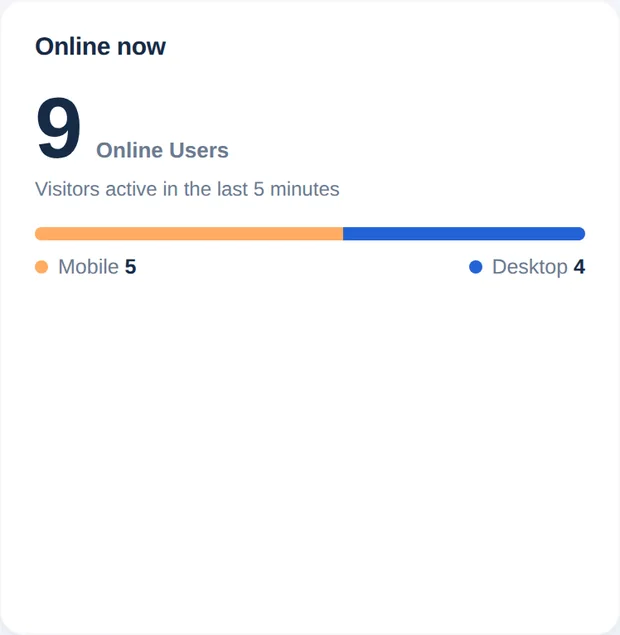
- Online now cardThe live count again in large type, with a mobile and desktop split. The bar shows the share of each device at a glance.
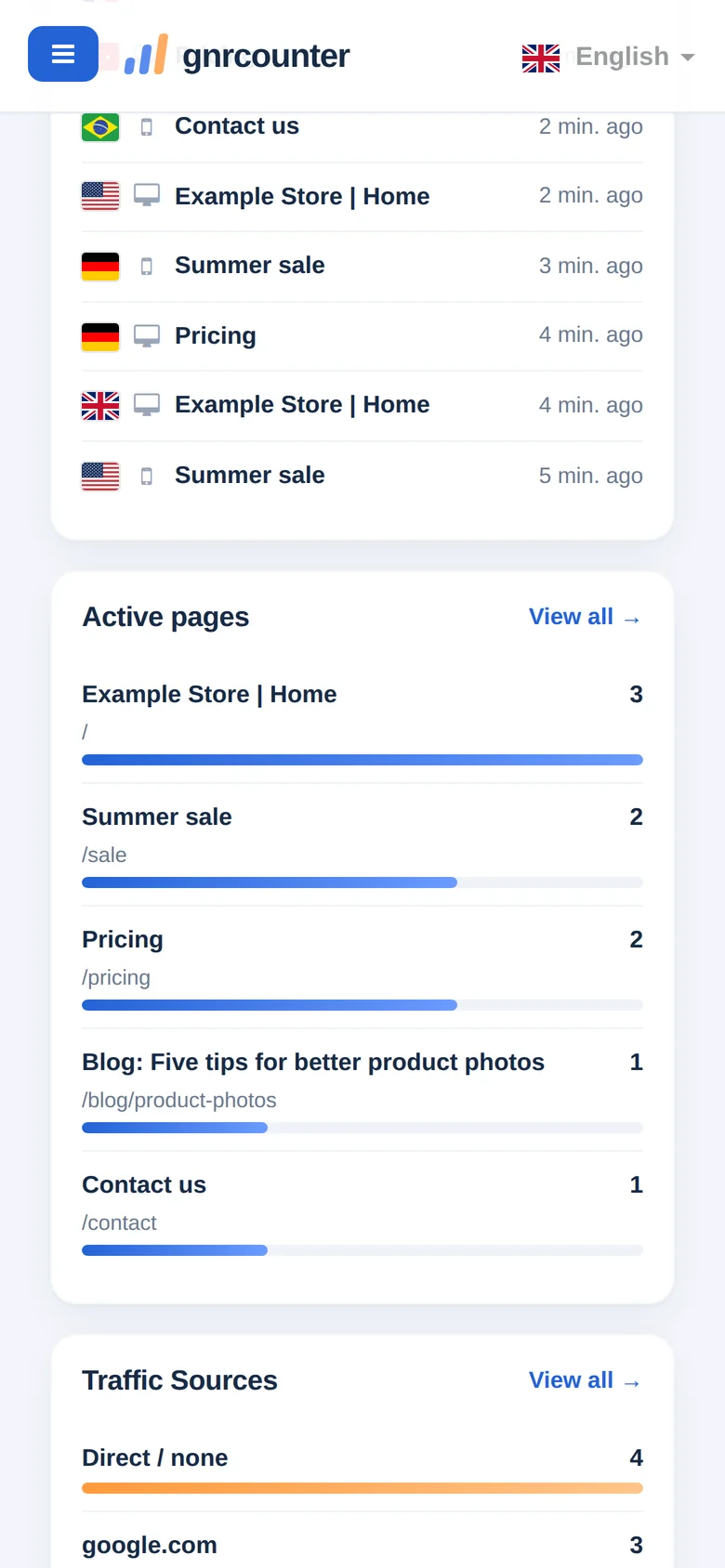
- Recent activityThe latest page views as they happen: a country flag, a device icon (phone or desktop), the page title and how long ago it was viewed. The newest entry is on top, and no IP addresses are shown.
- Active pagesThe pages your online visitors viewed most recently, with a bar for each. “View all” opens the Top Pages report.
- Sources, countries and device typeWhere the people who are online right now came from, which countries they are in and how they split between mobile and desktop.
- Operating systems and browsersThe systems and browsers used by your online visitors, shown as donut charts of the share of visitors.
Busy or quiet: what you will see
The page works the same way whether the site is busy or empty. Switch the tabs to compare.
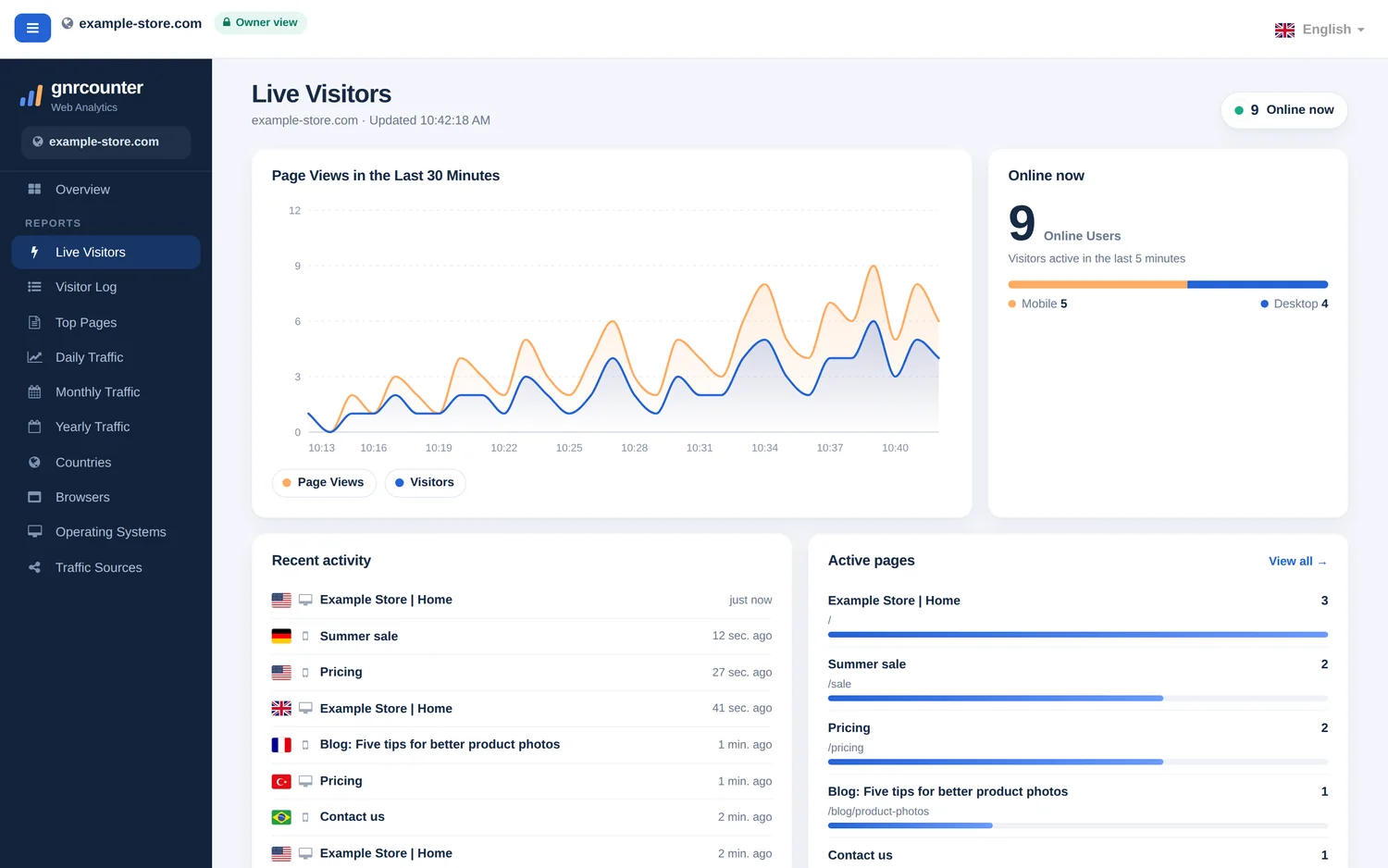
When visitors are active, every card fills in. The chart moves minute by minute and the activity list grows at the top as new page views arrive.
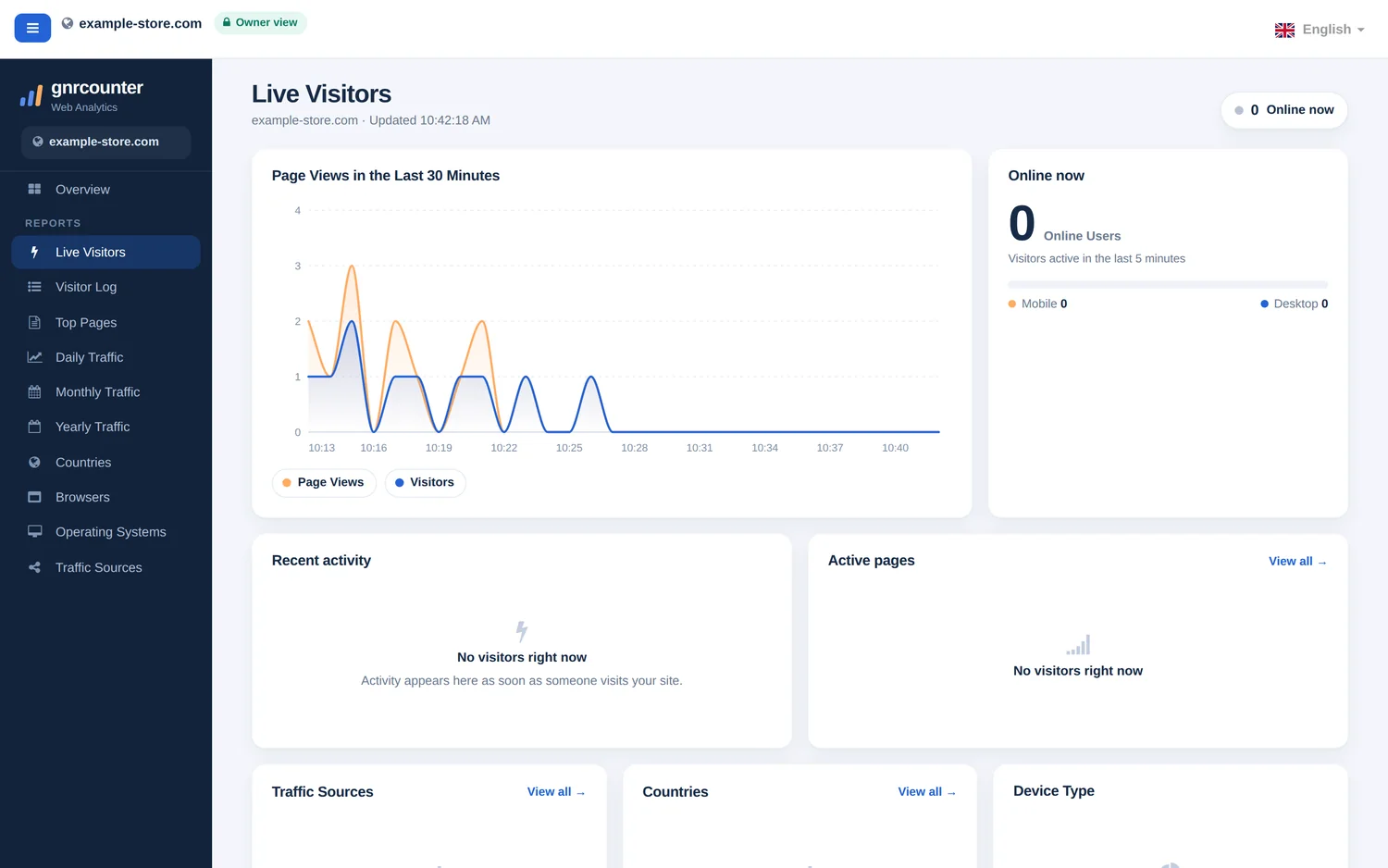
When nobody has been active for five minutes, the badge turns grey, the counters show 0 and the cards explain that activity will appear as soon as someone visits. This is normal for small sites at quiet hours.
How live is it? Four numbers to remember
Zoom in on the details
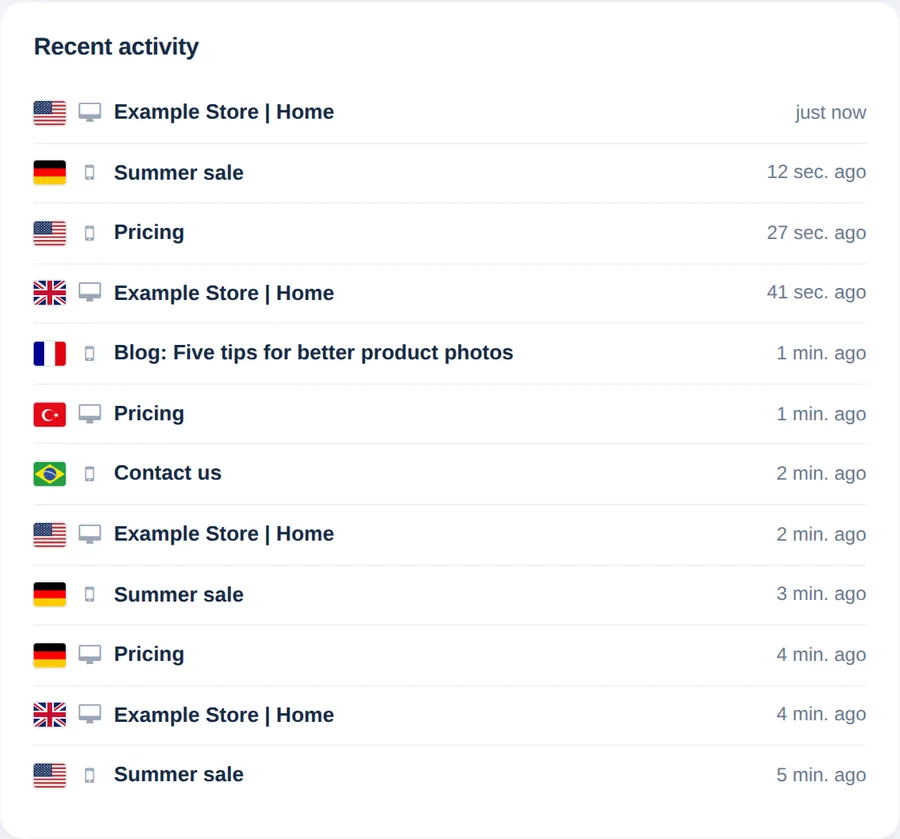
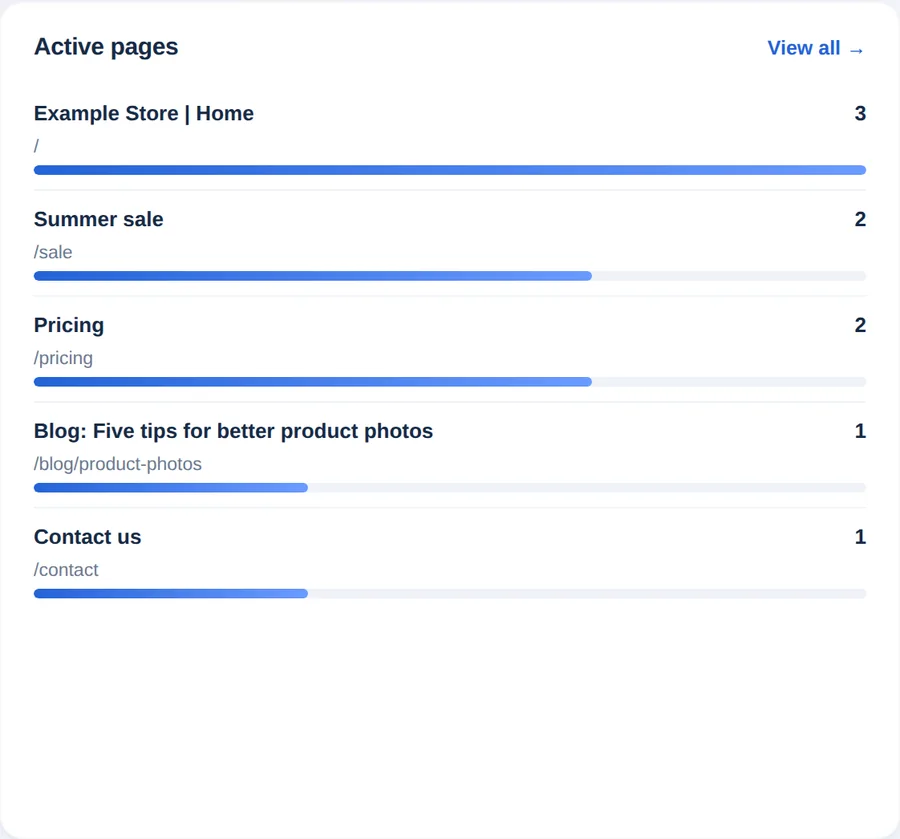
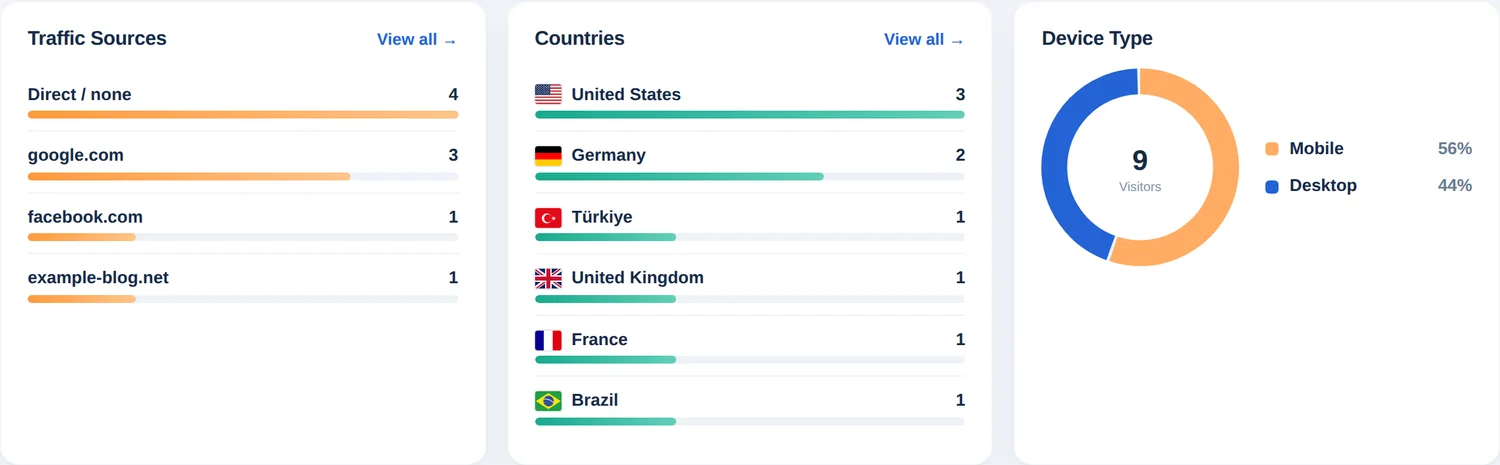

Reading the live numbers correctly
- Online means active in the last five minutes. Someone who opened a page and then left stays in the count until the five minutes have passed.
- The blue line counts visitors in the minute of their first visit of the day. A returning visitor who opens more pages does not add to it, while the orange line counts every page view.
- The cards below the chart (active pages, sources, countries, devices, systems and browsers) describe your online visitors only, so they change as people arrive and leave.
- Active pages shows the page each online visitor viewed most recently, not every page they opened.
- Known search engine and other bots are not counted, no IP addresses are shown, and times follow your counter’s time zone.
Four ways to use it
- Check your installation. Open your website in another tab or on your phone. Within about ten seconds your visit should appear in Recent activity. If it does not, check that the counter code is on that page and that nothing blocks it.
- Watch a launch or a campaign. Publish a post, send a newsletter or share a link, then keep this page open to see how fast visitors arrive and which sources they use.
- Spot a sudden spike. If the chart jumps, look at Traffic Sources and Active pages to see which source and page are responsible.
- Test on several devices. After changing a page, open it on your phone and your computer and check that both visits show up with the right device icon.
Live Visitors on your phone
On a small screen the cards stack in one column, with the online count and the chart first and the activity list right below them. It is a handy way to watch a launch away from your computer.
Tip: keep the tab open and visible. The page pauses refreshing while it is hidden and updates immediately when you return.
Common questions
Why does a visitor disappear after a few minutes?
The page counts visitors who were active in the last five minutes. When someone stops browsing, they leave the count once five minutes have passed.
Why does the page say “Connection lost. Retrying…”?
The page could not reach the server for a moment, for example because of a network drop. It keeps retrying by itself, and the message disappears when the connection returns.
Why is my own visit missing?
Check that the page you opened contains the counter code and give it about ten seconds. Visits from known bots are not counted.
Does Live Visitors show who the visitors are?
No. It shows country, device, browser and page, but never names, e-mail addresses or IP addresses.